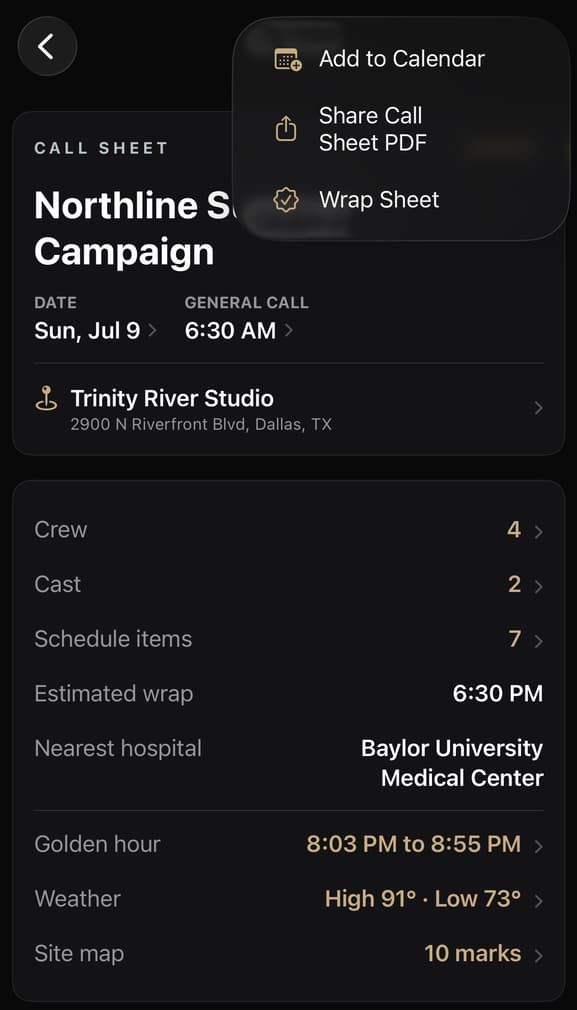
At 5:10 a.m., nobody wants to search an inbox for the attachment named FINAL_v4. A calendar event can put the shoot day one tap away.
But copying the whole call sheet into that event creates another problem: a second production document that stops changing the moment it is saved.
The useful distinction is simple.
The calendar event is a doorway into the day. The call sheet remains the source of truth.
01
What belongs in the calendar event
For the production owner’s calendar, four pieces of information do most of the work.
1. A recognizable production title
“Shoot” will not help when several jobs are moving at once. Use the production title and make it clear that the event represents a call sheet.
2. General call through estimated wrap
The event should describe the production day, not one crew member’s personal call.
Use the shoot’s time zone. If the estimated wrap is earlier than or equal to general call, treat it as an overnight shoot and place wrap on the following day. Do not invent a duration merely because the work crosses midnight.
3. The primary reporting location
Include the location name and address production expects people to recognize. The calendar can then provide directions without forcing someone to reopen an email first.
This is still only the primary location. Company moves, parking instructions, access notes, basecamp, and later venues belong on the call sheet.
4. A link to the current call sheet
This is the most important part.
The times and location copied into a calendar event are snapshots. A producer may revise the call sheet later, but the saved event does not automatically change with it.
The link gives the event somewhere current to point.
02
What should stay on the call sheet
A calendar event should not become a compressed production packet.
Keep these details on the call sheet:
- Personal call times
- Cast and crew contact information
- The complete run of day
- Parking, access, transportation, and company-move instructions
- Hospital and safety information
- Department notes
- Attachments, maps, sides, and production files
- Recipient-specific instructions
Those details are important. That is precisely why they should remain in the document production can revise and redistribute deliberately.
A shared calendar event also cannot replace a personal call. General call may be 6:30 a.m. while an actor, driver, or department has a different reporting time. Label the calendar entry accordingly.
03
Three calendar failures worth checking
The producer is traveling
A producer checking the event from another time zone should still see the shoot day in the production’s time zone. Build the date and times around where the work occurs, not wherever the phone happens to be today.
The shoot wraps after midnight
A 6:00 p.m. call with a 3:00 a.m. estimated wrap is not a negative nine-hour day. Wrap belongs to the next calendar date.
The call sheet changes
A saved event is a copy. If general call, wrap, or the primary location changes, update the calendar entry or make it explicit that the linked call sheet controls.
Do not let an old event quietly compete with the current revision.
04
Keep a person in the final step
Calendar automation should prepare the event, not make the final decision.
The producer should review the title, dates, times, location, destination calendar, notes, and link before saving. That matters when a phone contains personal, company, shared-family, and client calendars.
A good workflow opens the system editor with useful information filled in. The person chooses the calendar and taps Add.
Before saving the event
A producer’s preflight
- 01
Is the production recognizable from the title?
- 02
Are these general-call and estimated-wrap times, rather than somebody’s personal call?
- 03
Are the dates and times in the shoot’s time zone?
- 04
Does an overnight wrap land on the following day?
- 05
Is the location the primary reporting address?
- 06
Does the event point to the current call sheet?
- 07
Have personal, sensitive, and frequently changing details stayed out of the event?
- 08
If the sheet changes later, who owns updating the event?